
Beta
Social CMS with Branch is currently in Beta. Please be aware that there may be unexpected bugs/behaviors until the full release. Please reach out to your Branch account manager to get access to Social CMS.
Overview
Social content management system (CMS) platforms that partner with Branch can create Branch Links for a mutual customer's app, so the content they publish takes users into that app. The platform creates each link with the Branch Deep Linking API, using its partner $3p value and the customer's Branch key.
Supported Partners:
Before you begin
In order to enable this feature, you must have done the following:
Obtain your Partner
$3pparameter:- Sprinklr:
s_sprinklr - True Anthem:
s_true_anthem
- Sprinklr:
You will need the mutual customer's
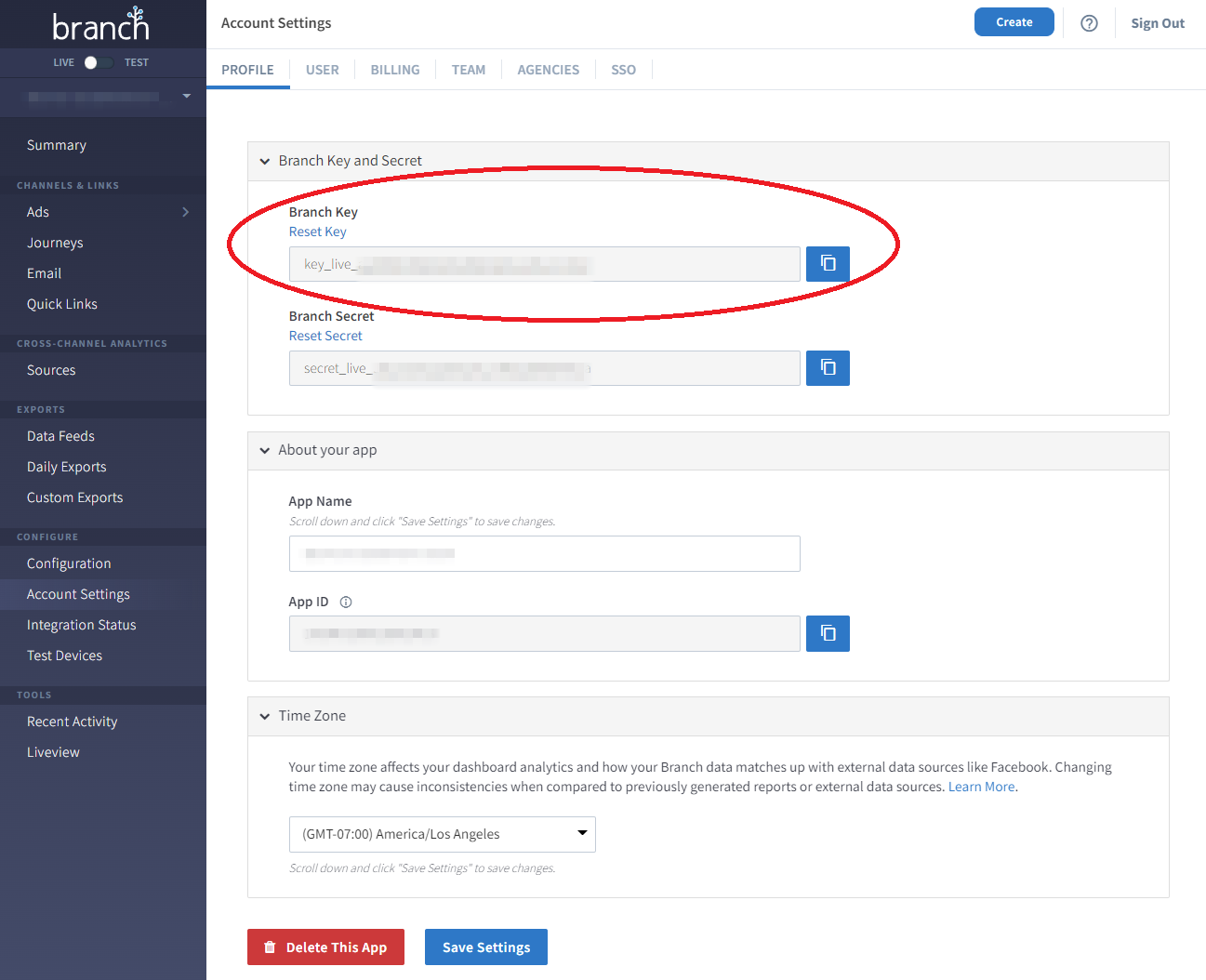
branch_key. It is up to you to request this from the mutual customer, and it can be obtained from their Branch Dashboard.
Link Creation Options
1. Create a Single URL
Using your preferred method of configuring APIs, utilize Branch's Deep Linking API in order to configure your link. For this implementation, we will utilize the Create Endpoint.
Create Endpoint
POST /v1/url
Host: api2.branch.io
Request Headers:
| Header | Value | Required |
|---|---|---|
| Content-Type | application/json | Yes |
Request Body Parameters:
| Parameter | Description | Required |
|---|---|---|
| branch_key | The Branch key of the originating app; from your Branch Settings Dashboard | Yes |
| data | The dictionary to embed with the link. Accessed as session or install parameters from the SDK. Use the data dictionary for all link control parameters that you'll find here. | No |
| alias | Instead of our standard encoded short URL, you can specify the vanity alias. For example, instead of a random string of characters/integers, you can set the vanity alias as .app.link/devonaustin. Aliases are enforced to be unique and immutable per domain, and per link - they cannot be reused unless deleted. Max 128 characters NOTE: If you POST to this endpoint with the same alias, and a matching set of other POST parameters to an existing aliased link, the original will be returned to you. If it clashes and you don't specify a match, will return an HTTP 409 error. | No |
| type | • Set type to 1, to make the URL a one-time use URL. It won't deep link after 1 successful deep link. Default is set to 0, which is the standard Branch Links created via our SDK. | No |
| duration | In seconds. Only set this key if you want to override the match duration for deep link matching. This is the time that Branch allows a click to remain outstanding and be eligible to be matched with a new app session. This is default set to 7200 (2 hours). | No |
| {BRANCH_ANALYTICS_PARAMETERS} | It's important to tag your links with an organized structure of analytics labels so that the data appears consistent and readable in the dashboard. | No |
| identity | The identity used to identify the user. If the link is not tied to an identity, there's no need to specify an identity. Max 127 characters | No |
Example Request/Response:
curl --request POST \
     --url 'https://api2.branch.io/v1/url' \
     --header 'Accept: application/json' \
     --header 'Content-Type: application/json' \
     --data '
{
     "branch_key": "key_live_hkDytPACtipny3N9XmnbZlapBDdj4WIL",
     "data": {
          "$3p": "s_sprinklr"
     },
     "campaign": "myCampaign",
     "channel": "flyer_1",
     "feature": "social"
}
'{
"url": "https://branchster.app.link/lf0rdP55Yrb"
}