
Introduction
Use Audiences to run precise retargeting and re-engagement campaigns that win back lapsed users, increase purchases, and raise sessions per user. You define an audience with a set of rules based on past purchases, ad exposure, and in-app behavior. Branch then builds the audience and keeps it up to date.
You can share each audience with ad partners and agencies, or download it as a list of device IDs to add to campaigns on an ad platform.
To build your first audience, see Create an Audience.
Attention
Branch's new experience is rolling out in phases. This article covers Audiences in new Branch. Legacy Branch calls this feature Engagement Builder. If you use legacy Branch, see our Engagement Builder documentation.
Key terms
These terms appear throughout the Audiences articles.
| Term | Definition |
|---|---|
| Audience | A group of users that match a set of rules you define. Legacy Branch calls this an engagement group. |
| Rule | A condition that users must meet to join the audience, such as "Purchased in the last 30 days." Branch combines an audience's rules with AND logic, so users must meet every rule. |
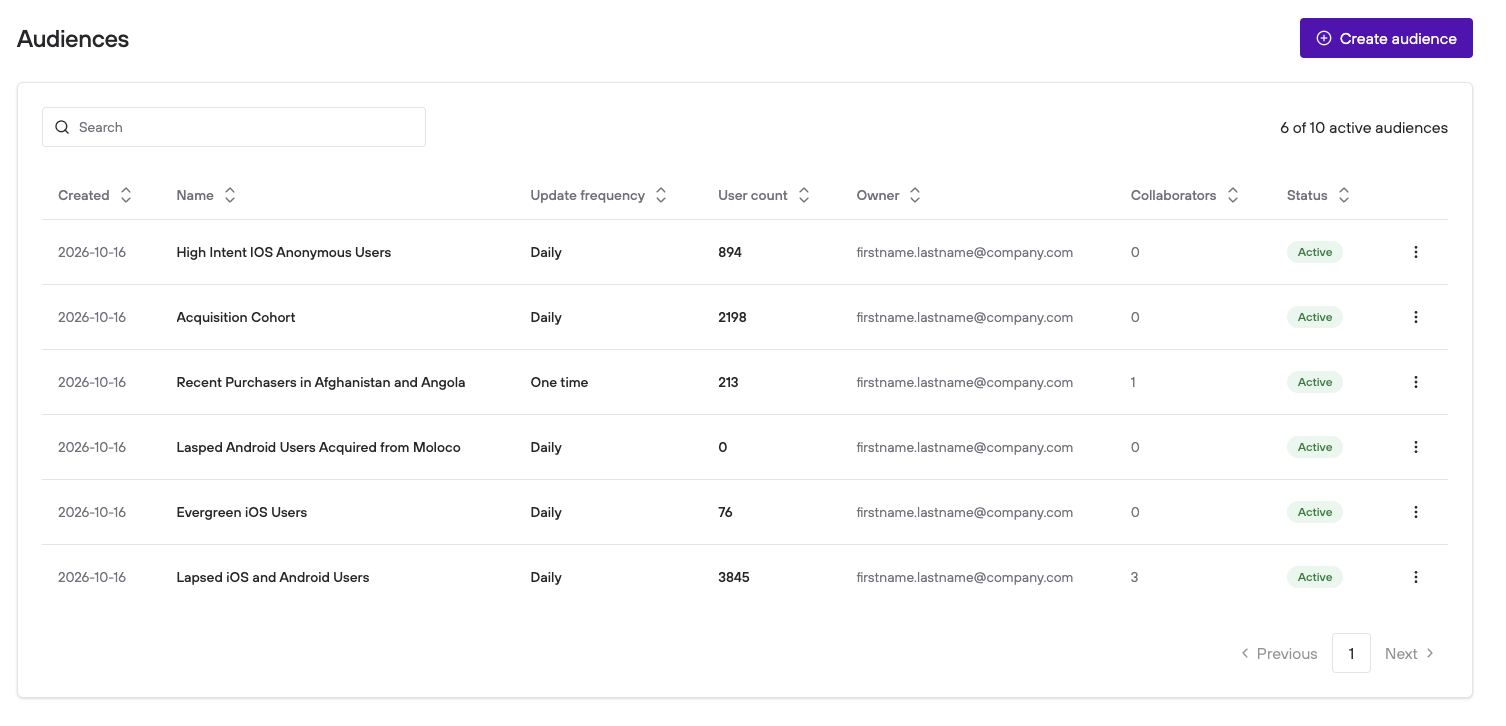
| Update frequency | How often Branch rebuilds the audience. You set an audience to update One time or Daily. |
| Active audience | An audience that Branch is currently updating. Your plan limits how many audiences can be active at once. |
| Collaborator | An agency or team you share access to an audience with. |
| Reach | The number of users in an audience file. |
Migration from legacy
Audiences is the new version of Engagement Builder, and some names changed. Use this table to compare terms.
| Legacy Branch | New Branch |
|---|---|
| Engagement Builder | Audiences |
| Engagement group | Audience |
| Engagement Manager table | Audiences page |
| Stop Engagement Group and Resume Engagement Group | Deactivate and Activate |
| Stopped (status) | Deactivated |
| Duplicate | Make a copy |
Access
To use Audiences, you first need to:
- Have Audiences enabled for your Branch account. To enable it, contact your account manager.
- Integrate the Branch SDK into your mobile app (iOS | Android) and track events.
- Have the Engagement builder permission in your Branch account. With View access, you can see audiences and download their files. With Edit access, you can also create and change audiences. To learn more, see Default Access Levels, Users, Roles, and Permissions.
The first time you open Audiences, Branch asks you to accept the terms for Branch's ad network partners. Select Agree and continue to confirm that you'll comply with the terms of your agreements with those partners that apply to data generated by Audiences.
Caution
Ad platforms can limit how you use imported user data to create audiences. Review the agreements you have with your partners to make sure you understand and can follow their limitations and restrictions.
Limitations
iOS devices
Audiences produces lists of device identifiers for retargeting, so results for iOS depend on whether users opt in to sharing their device data through Apple's AppTrackingTransparency framework.
For more information on changes since iOS 14.5, see the iOS 14 FAQs.
Data availability
Rule timeframes reach back up to 179 days. To learn more, see Timeframe.
Active audience limit
Your plan sets how many audiences can be active at once, either 10 or 100. The Audiences page shows how many you're using, for example "4 of 10 active audiences." When you reach your limit, deactivate an audience to create another.
Ad partner interactions
Ad interactions from the following ad partners aren't eligible as signals for adding users to an audience with the Clicked Adverts and Viewed Adverts rules:
- Facebook (Meta)
- Roku
- Samsung
Learn more
FAQ
What is an audience?
An audience is a group of users who match rules you define, based on their in-app behavior, location, purchases, and ad exposure. You can download audiences or share them with ad partners to run re-engagement campaigns.
Is Audiences the same as Engagement Builder?
Audiences is the name for Engagement Builder in new Branch. Engagement groups are now called audiences.
How often does an audience update?
You choose One time or Daily when you create the audience. Branch builds a one-time audience once and rebuilds a daily audience every day.