
Test Deep Link
- Create a deep link from the Branch Dashboard.
- Run your macOS app from Xcode.
- Create a test webpage with the test link.
xml
<html>
<body>
<a href="https://yourdeeplink">link<a>
</body>
</html>- Open this test webpage in any browser and click the test link.
- Allow the browser to open your app. The permission dialog varies from browser to browser.
- Delete your debug app.
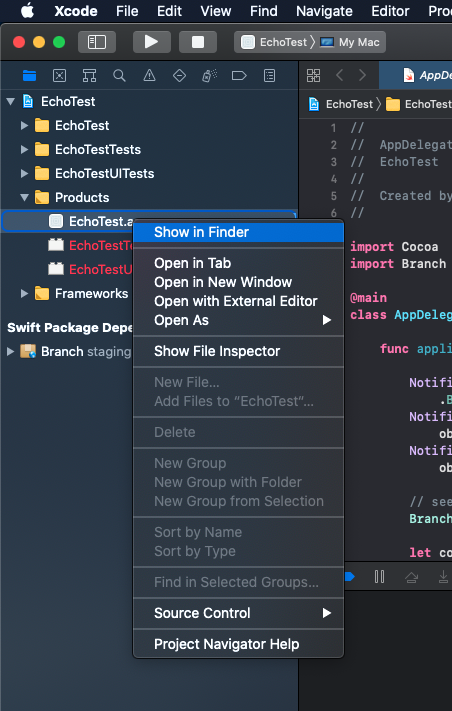
You can locate your debug app in Xcode under Products and Show in Finder.
Enable Logging
- Add before
Branch.sharedInstance.start(with: config) - Remove before releasing to production
swift
Branch.loggingIsEnabled = trueobjective-c
Branch.loggingEnabled = YES;Use Test Key
To use the Branch test key instead of the live key, initialize the BranchConfiguration with the test key.
- The
test keyof the app must match thetest keyof your deep link - Switch back to the
live keybefore releasing to production
swift
BranchConfiguration *configuration = [[BranchConfiguration alloc] initWithKey:@"key_test"];objective-c
let config = BranchConfiguration(key: "key_test")