> For the complete documentation index, see [llms.txt](https://help.branch.io/llms.txt).
# InMobi DSP
> Connect InMobi DSP to Branch for attribution and deep linking on in-app programmatic campaigns.
> **Branch Certified Partner**
## Overview
[InMobi](https://www.inmobi.com/) is the world's leading Marketing Cloud. Our mobile data and technology platforms help global brands understand and engage connected consumers.
### Partner capabilities
| Partner Capabilities | Details |
| --- | --- |
| Company Type | DSP |
| Deep Linking | Yes |
| Attribution | • Click-Through Attribution
• View-Through Attribution |
| Ad Campaign Types | • Acquisition campaigns
• Retargeting campaigns |
| Ad Formats | • Banner
• Interstitial
• Video
• Recommendation
• App of Day |
| Click Types | • Client-side click
• Server-side click |
| Supported Platforms | • iOS
• Android |
| Link Wrapping | Supported |
| Cost Ingestion Support | Supported |
| Cost Ingestion Types | • Direct API integration
• Email import
• File upload |
| Pricing Models | • CPI
• CPC
• CPM
• CPA |
## 1. Complete Ads Prerequisites
> **DEVELOPER MAY BE REQUIRED**
>
> The following Ads prerequisite includes providing URI schemes and other components that may require a developer:
>
> - [**Add Deep Link Routing & Required Redirects**](https://dashboard.branch.io/configuration/general)
> **DEVELOPER REQUIRED**
>
> The following Ads prerequisites involve app code changes:
>
> - [**Implement the Branch SDK**](https://help.branch.io/developer-hub/native-sdks-overview.md)
## 2. Retrieve Credentials
Before you can enable the partner integration in your Branch dashboard, you will first need to make sure you have the following credentials available:
- iOS Property ID
- Android Property ID
## 3. Enable the Integration
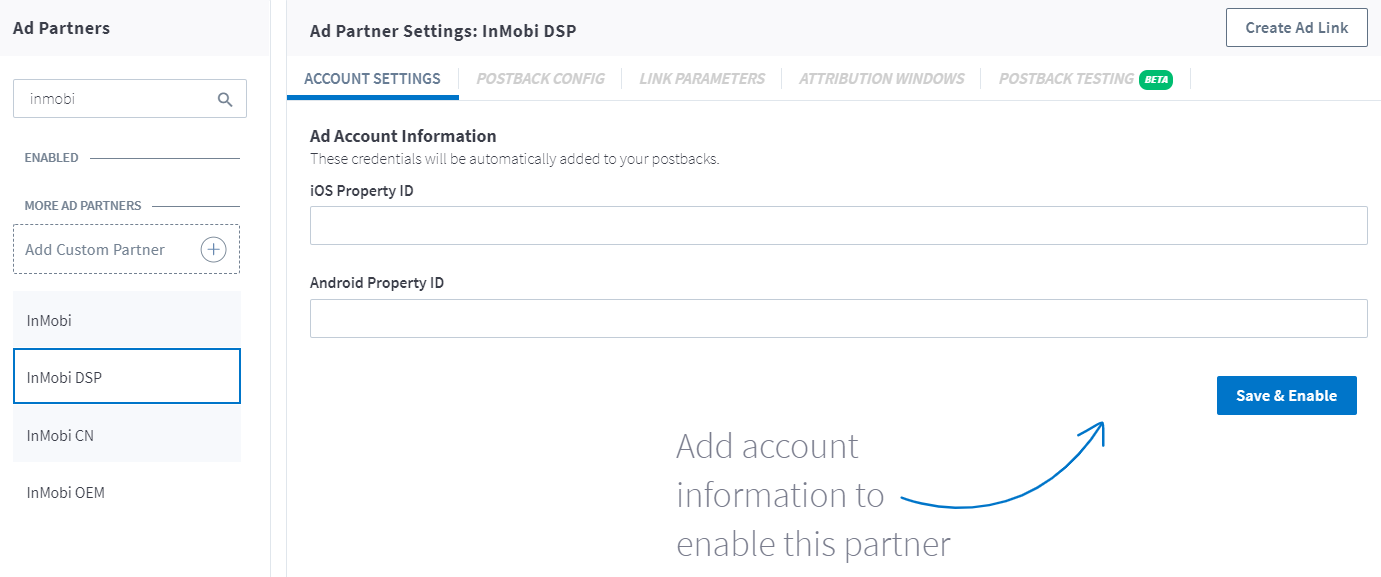
1. Visit the [**Ads**](https://dashboard.branch.io/ads) page on the Branch dashboard.
2. Select [**Partner Management**](https://dashboard.branch.io/ads/partner-management) from the sidebar.
3. Search for InMobi DSP.
4. Select **InMobi DSP**, provide your **iOS Property ID | Android Property ID** and click **Save & Enable**.
## 4. Enable Postbacks
> **Note: PAM uses two separate toggles**
>
> The **PAM for Publishers** toggle on the **Postback Config** tab is separate from the PAM switch in your attribution settings. **PAM for Publishers** must be enabled to reconcile conversion events with your partner. To attribute events with PAM, you also need PAM enabled at the org-level or app-level under **Configure** > **App Settings** > **Attribution**. Learn more in our [PAM Overview](https://help.branch.io/marketer-hub/predictive-aggregate-measurement.md#pam-for-publishers).
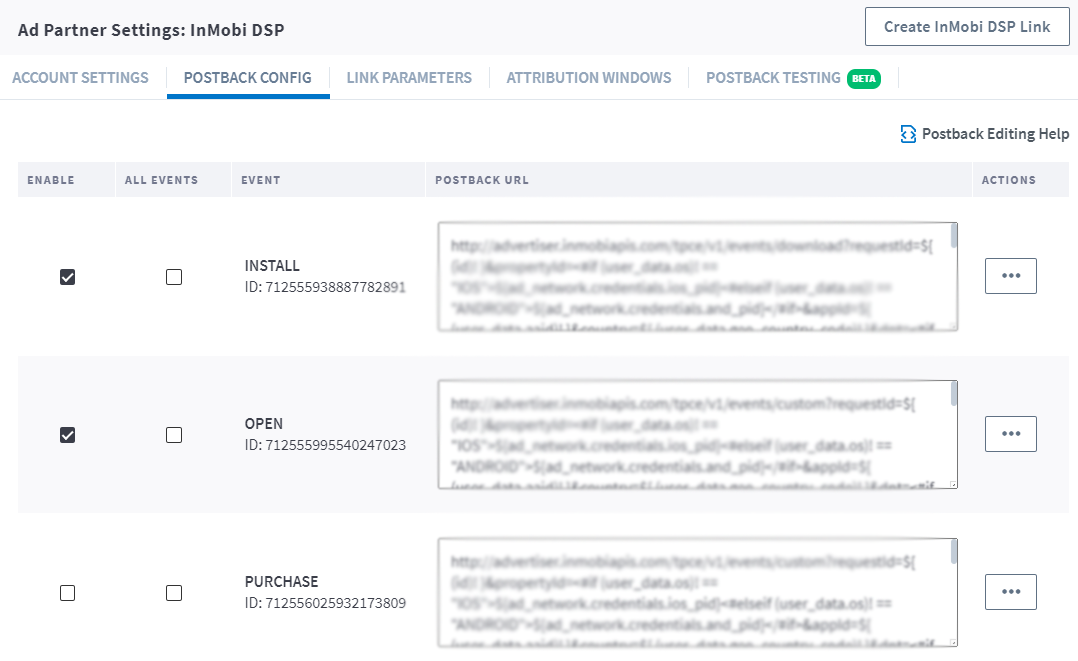
When Branch measures a conversion (install or other event), it determines which ad network or partner is responsible for generating the action, then attributes credit to the proper partner accordingly. Branch notifies the Ad partner of these events via postbacks which are turned on when you enable any Ads integrated partner.
Basic postbacks will automatically be activated for events like Install and Purchase when you enable your ad partner.
Branch’s postback system is highly [customizable](https://help.branch.io/marketer-hub/basic-postback-configuration.md); you can set up postbacks for specific events, as well as specific subsections of events, filtered by link data, user data, or event properties.
You can then [add additional postbacks](https://help.branch.io/marketer-hub/ads-advanced-configuration.md#adding-enabling-more-postbacks), for example, if you wanted to add postbacks for custom events that are specific to your app like Account Created. You can also [edit postbacks](https://help.branch.io/marketer-hub/ads-advanced-configuration.md#adding-enabling-more-postbacks) if there's additional data you really need to pass along to your ad partner.
> **Troubleshoot Postbacks**
>
> There may be times when you need to reset a partner's settings; i.e. when a partner updates their postback templates or when perhaps you've made a mistake during partner setup. Resetting a partner's settings allows you to re-enable the partner integration with the correct information to accurately measure and attribute conversion.
>
> Note, by resetting your partner settings, this will:
>
> - Disable the ad partner
> - Clear out all of your saved credentials and postbacks that are already set up
> - Return the ad partner to its basic configuration
>
> [Learn more here on how to reset your ad partner's settings.](https://help.branch.io/marketer-hub/ads-non-sans-faq.md)
## 5. Verify Integration Setup
> **View Link Parameters**
>
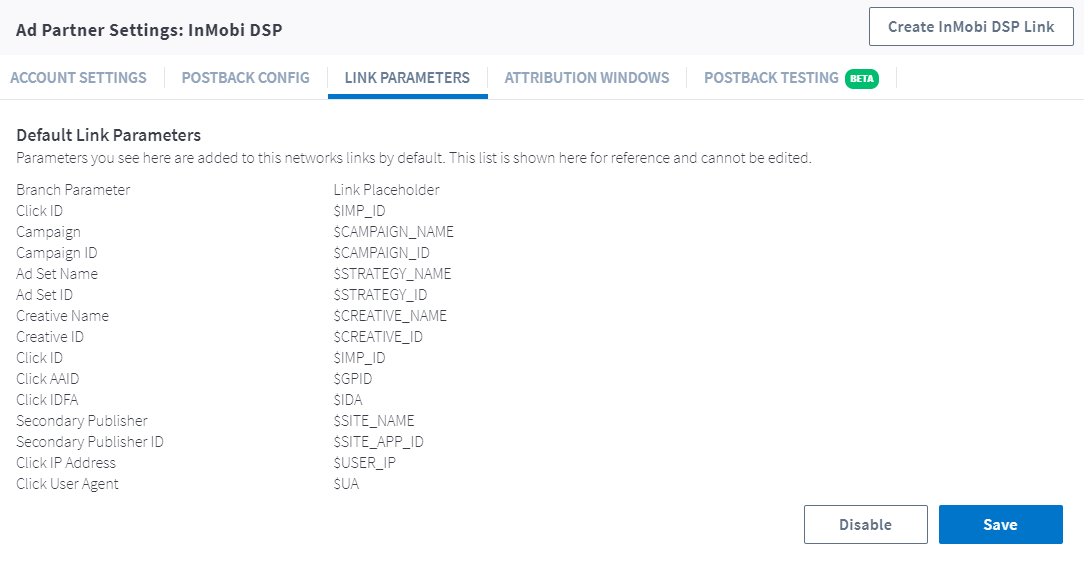
> By default, Branch automatically appends partner-specific link parameters during the link creation process. When a user clicks on the link, InMobi DSP provides the appropriate parameter values which Branch ingests and uses for attribution and reporting purposes.
>
> Below are the link parameters that Branch automatically appends for this ad partner:
>
> 
> **View Attribution Windows**
>
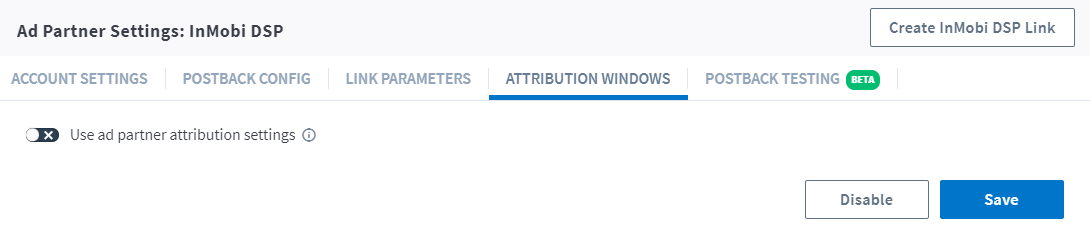
> Branch employs [Attribution Windows](https://help.branch.io/account-hub/attribution-windows.md) at both the app level and the ad partner level. When you enable InMobi DSP, Branch uses the attribution windows you've selected at the app level.
>
> However, you can choose to use the attribution windows provided specifically by InMobi DSP. To do so, toggle the **Use Ad Partner Attribution Windows** to on. Please keep in mind that only conversions attributed to this ad partner will use these specific windows; otherwise, the app-level windows prevail.
>
> 
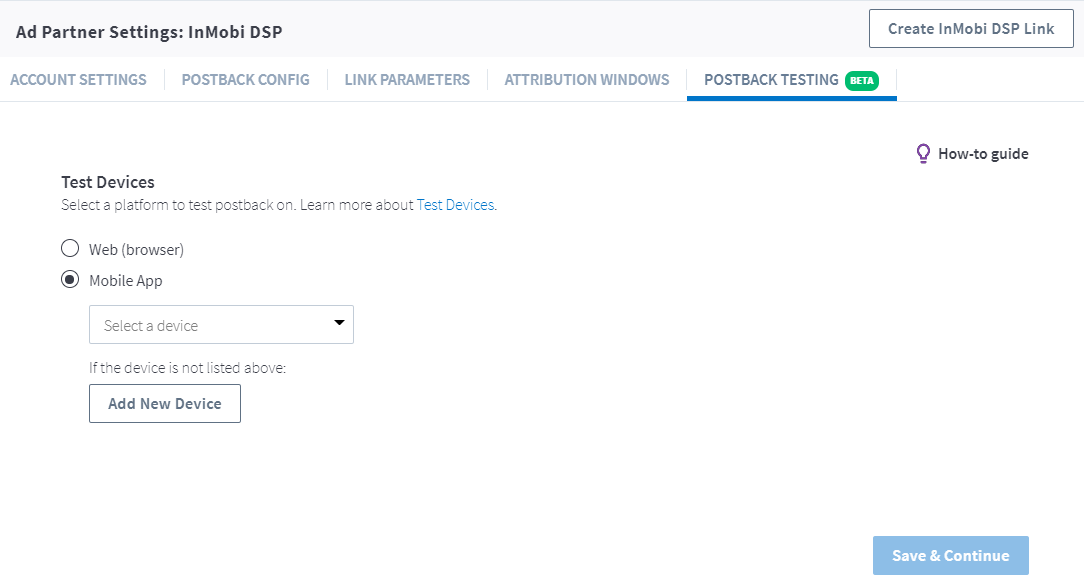
> **Test Postbacks**
>
> Testing your configuration is a very important step that we highly recommend you take the time to complete before going live with marketing campaigns.
>
> Learn how to [Test Postbacks](https://help.branch.io/marketer-hub/testing-postbacks.md).
>
> 
## 6. Create a Branch Link
If you are running paid advertising campaigns, you'll want to create a Branch Ad Link so we can accurately attribute resulting app conversions to the appropriate advertising partner.
Branch Ad Links support deferred deep linking, Android App Links, and iOS Universal Links, as well as web and app conversions.
Learn how to [Create A Branch Ad Link](https://help.branch.io/marketer-hub/ad-links.md).