Overview
Branch deep linking gives you peace of mind that your links will work in every edge case to route users to the best destination with the industry's highest matching accuracy, by combining every deep linking standard into a single, simple package. Easy to implement, and always up to date.
Deep linking use cases:
- Direct deep linking users who have the app installed already to relevant content.
- Deferred deep linking users who do not have the app installed to relevant content immediately after the first install.
- Customized/branded URLs.
- Store custom data parameters in link data.
How does it work?
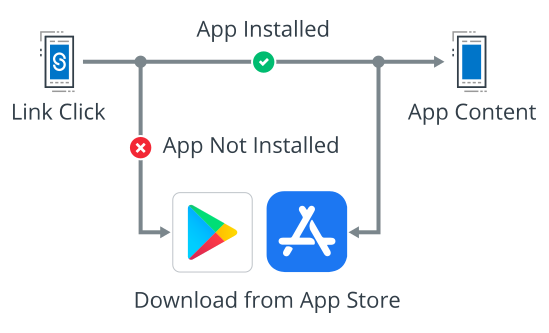
User clicks a link.
If user has the app installed, then the app opens and routes to relevant content.
If user doesn't have the app installed, then:
- User is routed to App/Play store to download the app, then routed to relevant content when they open the app, or
- User is routed to relevant mobile web content.
Access
Access to Branch Deep Linking requires a premium plan. Please contact our Sales team to learn more about pricing and availability.
Getting started
To implement Branch deep linking, you'll need to work with your development team to integrate the Branch SDKs into your mobile app and configure deep link routing. See our developer documentation for implementation details.
Creating Branch Links
You can create Branch Links directly without developer involvement using these tools:
- Ideal for one-off campaigns, especially social media, blog posts, etc.
For programmatic link generation at scale, your development team can use APIs and SDKs. See our developer documentation for these advanced options.
Best practices
Understanding canonical URLs
A canonical URL represents the corresponding web URL for your in-app content. If your app can already deep link using web URLs, using canonical URLs for deep link routing can reduce implementation effort, as this URL is often automatically applied as Branch Link data for products like Journeys and Email.
For example, a shopping brand that has both a website and a mobile app will have equivalent experiences for the user to get to related content and it can be identified with a canonical URL. A web URL might look something like this:
https://www.myshop.com/category/productName
For a hotel/travel brand, a canonical URL might look something like this:
https://www.mytravel.com/Hotel-Search?rooms=1&adults=2&destination=Bangkok%20(BKK%20-%20Suvarnabhumi%20Intl.)®ionId=4934466&latLong=13.687353%2C100.74995&startDate=2021-09-23&endDate=2021-09-24&d1=2021-09-23&d2=2021-09-24
The different parts of the URL can be used for deep linking the user to in-app content. See our developer documentation for implementation details.
Enhancing link appearance with Open Graph tags
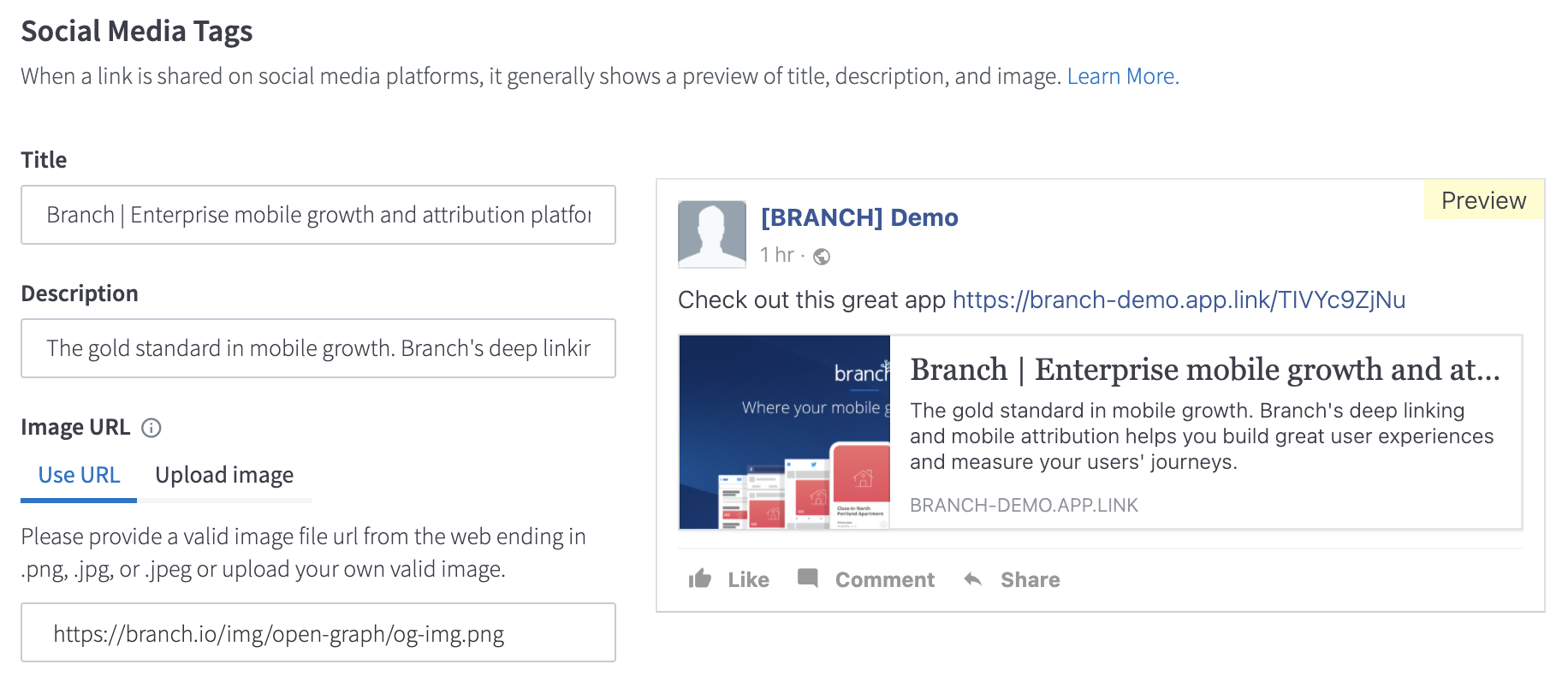
When creating your Branch Link, you can add Open Graph tags to enhance its look and feel in a social graph. Adding these tags should make your Branch Link look better in channels like SMS or on social media posts.
Open Graph tags are automatically set when configuring Social Media Tags in the Branch Link creation interface, or scraped from your website when using certain URL parameters. See our developer documentation for technical configuration details.