> For the complete documentation index, see [llms.txt](https://help.branch.io/llms.txt).
# Reporting and Analytics
> View cost data across all your integrated ad partners in the Branch Dashboard to guide ad optimization decisions.
## Overview
The Branch Dashboard will be your primary hub for viewing cost data across all of your integrated ad partners.
You will be able to make better ad-optimized decisions more quickly, without having to navigate to each partner dashboard to measure cost.
## Handling Currencies
Branch applies the [current exchange rate](https://openexchangerates.org/) every 30 minutes for today's spend and then daily for days after that to convert it to USD and then converted to your local currency ([if you set it](https://help.branch.io/account-hub/advanced-link-configuration.md#local-currency)). If it is the same currency, then Branch won't apply any exchange rates to your local currency.
## Activity
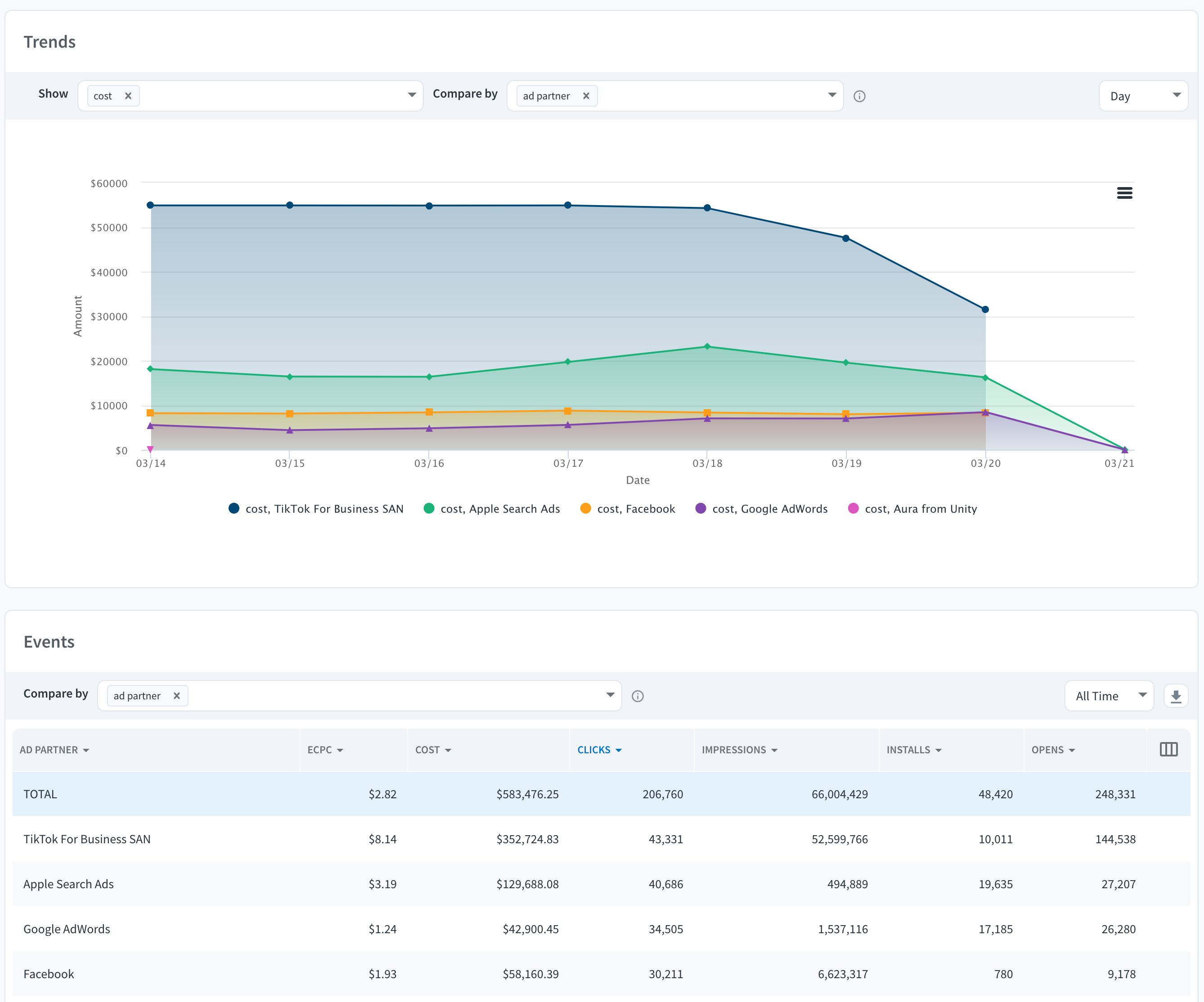
Once cost data is flowing through Branch from the ad network(s), you can view cost through [Ads Analytics](https://help.branch.io/marketer-hub/paid-ads-analytics.md).
Navigate to the **Activity** [tab](https://dashboard.branch.io/ads/analytics/activity) on the **Analytics** [page](https://dashboard.branch.io/ads/analytics/), which is in the **Ads** section of the Branch Dashboard.
## Unpopulated Values
You may see specific columns/dimensions displayed as **Unpopulated** in your Dashboard reports. This is due to limitations from the ad partner and what dimensions they can send for the Cost Data. This varies by ad partner and dimension.
For example, if we are reporting on cost and comparing by country, the following information will be displayed:
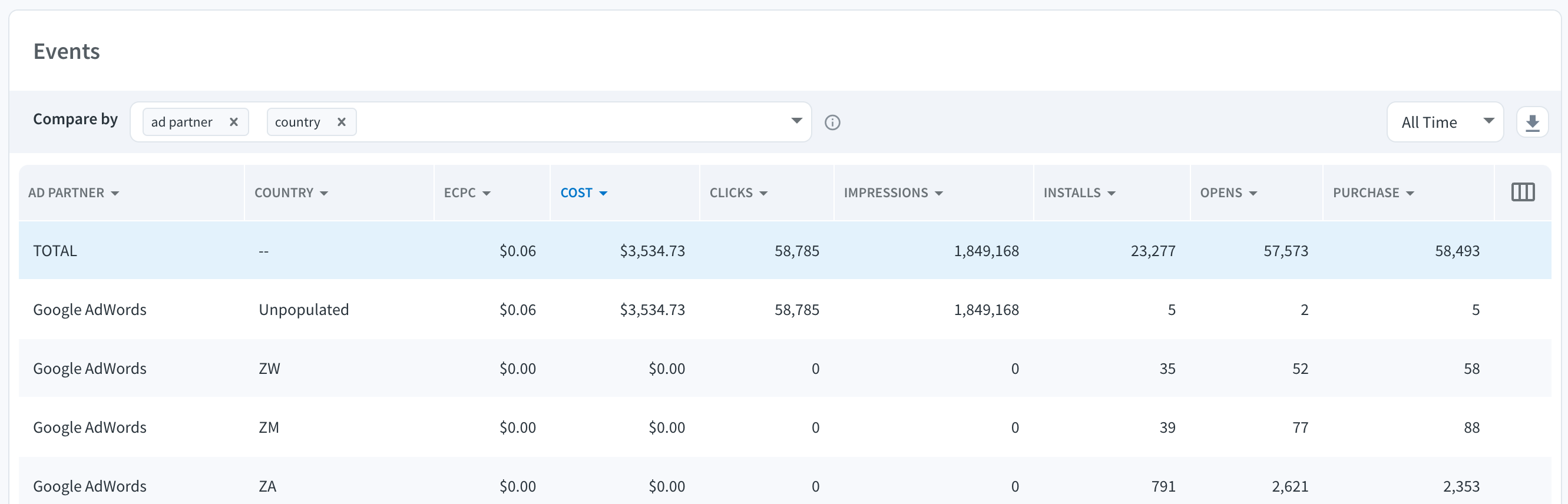
In this case, when drilling down to the country level, the cost cannot be broken down, so Branch displays country on a different row.
## Cost Availability
When looking at Dashboard Reports and Exports, Branch applies certain rules/formats that determine availability for cost:
| Availability | Description |
| --- | --- |
| Cost Rule | This is a rule that is applied across all of Branch for a combination of Partners and Campaign IDs that if there are no Branch tracked clicks, installs, reinstalls, opens, web session start, or SKAdNetwork downloads then Cost isn't shown. |
| Always Enabled | The following partners/sources always show cost data, regardless of attribution matching: • [Criteo](https://help.branch.io/marketer-hub/criteo.md)
• [GMP](https://help.branch.io/marketer-hub/google-marketing-platform.md) (CM360 Country Mapping, CM360 Device Mapping, and DV360)
• [ROI Hub email ingestion](https://help.branch.io/marketer-hub/cost-data-via-email-import.md)
• [ROI Hub file ingestion](https://help.branch.io/marketer-hub/cost-data-via-file-upload.md) |
| Cost Reporting | To analyze Cost you can use the following pages in the Branch Dashboard: Summary, Unified Analytics, Ads Analytics, and Cohorts. Or the following APIs: Query API and Cohort Exports API. |