> For the complete documentation index, see [llms.txt](https://help.branch.io/llms.txt).
# QR Code API Overview
## Overview
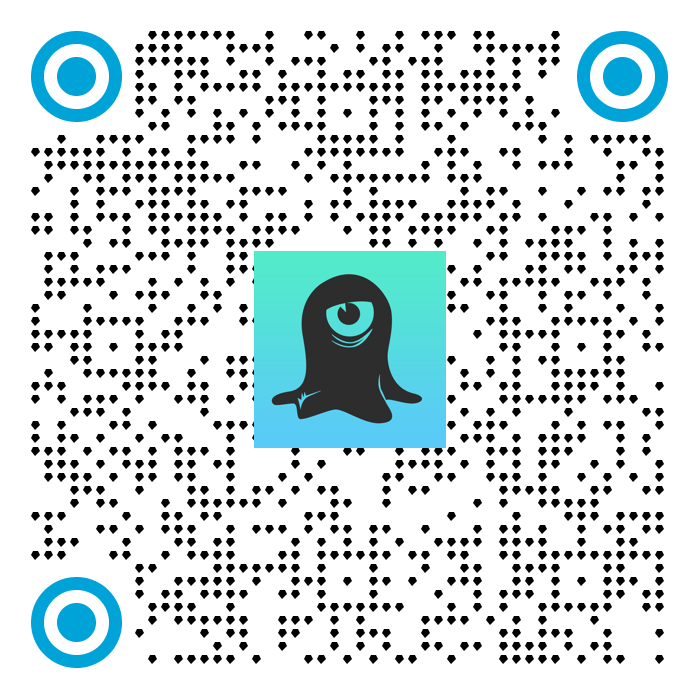
The QR Code API is an HTTP API that you can use to create custom QR codes programmatically. Every QR code contains a unique Branch Link that you can deep link and track analytics with.
### Access
Availability varies by Branch plan. See [Branch pricing](https://www.branch.io/pricing/).
### Authentication
For calls to the QR Code API, you need your Branch Key.
**Legacy Branch**
To retrieve your Branch Key in the [legacy Branch experience](https://help.branch.io/marketer-hub/branch-dashboard-overview.md):
1. Navigate to the **Account → Settings → Profile** [tab](https://dashboard.branch.io/account-settings/profile).
2. Use the **copy icon** to copy your Branch Key.
**New Branch**
To retrieve your Branch Key in the [new Branch experience](https://help.branch.io/account-hub/credentials-new.md):
1. Navigate to the **Configuration → Security & Access → Credentials** [tab](https://branchdocs.app.link/apis-to-credentials).
2. Use the **copy icon** to copy your Branch Key.
Visit our [guide](https://help.branch.io/account-hub/credentials-new.md) to learn more about managing your Branch credentials.
### Endpoint
```
POST /v2/qr-code
Content-Type: application/json
```
### Rate limits
- 25 requests per second
- 100 requests per minute
- 1000 requests per hour
### Parameters
| Parameter | Type | Definition |
| --- | --- | --- |
| branch_key (*REQUIRED*) | String | The Branch Key of the originating app; from your [Branch Settings Dashboard](https://dashboard.branch.io/account-settings/app) |
| data (*Optional*) | JSON | The dictionary to embed link data behind the QR code. Accessed as session or install parameters from the SDK. Use the data dictionary for all [link control parameters that you'll find here](https://help.branch.io/marketer-hub/deep-link-reference.md#link-data). |
| [Branch analytics parameters](https://help.branch.io/marketer-hub/deep-link-reference.md) (*Optional*) | String | It's important to tag your links with an organized structure of analytics labels so that the data appears consistent and readable in Branch. |
| qr_code_settings | JSON | If this nor any of the key/value pairs are not present, we use your app defaults. See the table below for setting details. Required if you want to override QR code properties [defined in Branch](https://help.branch.io/marketer-hub/qr-codes-builder.md). |
#### *qr_code_settings*
| Parameter | Type | Definition |
| --- | --- | --- |
| code_color | String | [Hex color value](https://htmlcolorcodes.com/) of the QR code itself. |
| background_color | String | Hex color value of the background of the QR code itself. |
| margin | Integer (Pixels) | The number of pixels you want for the margin (minimum: 0px). The default margin size is 3% of the QR code image's width. |
| width | Integer (Pixels) | Output size of the QR code image (minimum: 300px, maximum: 2000px). Only applicable to JPEG/PNG. |
| image_format | String | PNG, JPEG, or JPG. |
| center_logo_url | String (HTTP URL) | URL to the image you want as a center logo, for example, `https://cdn.yourcompany.io/company-assets/1598575682753-og_image.png`
If you're using a JPEG image, the color space should be RGB. |
| code_pattern | Integer | Instead of the generic/standard QR code pattern we’re used to seeing, you can now use (1) standard, (2) squares, (3) circles, (4) triangles, (5) diamonds, (6) hexagons, and (7) octagons. |
| finder_pattern | Integer | The finder pattern refers to the shape seen in the top left, top right, and bottom left of a QR code. You can now choose between a (1) square, (2) rounded square, or (3) circle. |
| finder_pattern_color | String | Hex color value of the finder pattern, which you can find at . |
| background_image_url | String | Layer the QR code on top of a background image. |
| code_pattern_url | String | A direct link to an image, meant to be used as the code pattern itself on the QR code. |
| finder_eye_color | String | Hex color value of the finder eye, which you can find at . |
### Sample request
```curl
curl --request POST \
--url https://api2.branch.io/v2/qr-code \
--header 'accept: image/*' \
--header 'content-type: application/json' \
--data '
{
"qr_code_settings": {
"code_pattern": 1,
"finder_pattern": 1,
"image_format": "png",
"center_logo_url": "https://cdn.branch.io/branch-assets/1598575682753-og_image.png",
"width": 300,
"margin": 1,
"code_color": "#000000",
"background_color": "#FFFFFF",
"finder_pattern_color": "#000000",
"finder_eye_color": "#000000"
},
"branch_key": "key_live_xxxx"
}
'
```
> **Image output**
>
> Note that the output of this cURL request is saved in the current directory as the file name indicated at the end of the request, for example, `qr_code.png`.
### Result